Apple built the best audio experience.WaveCast unlocks it for your Mac.
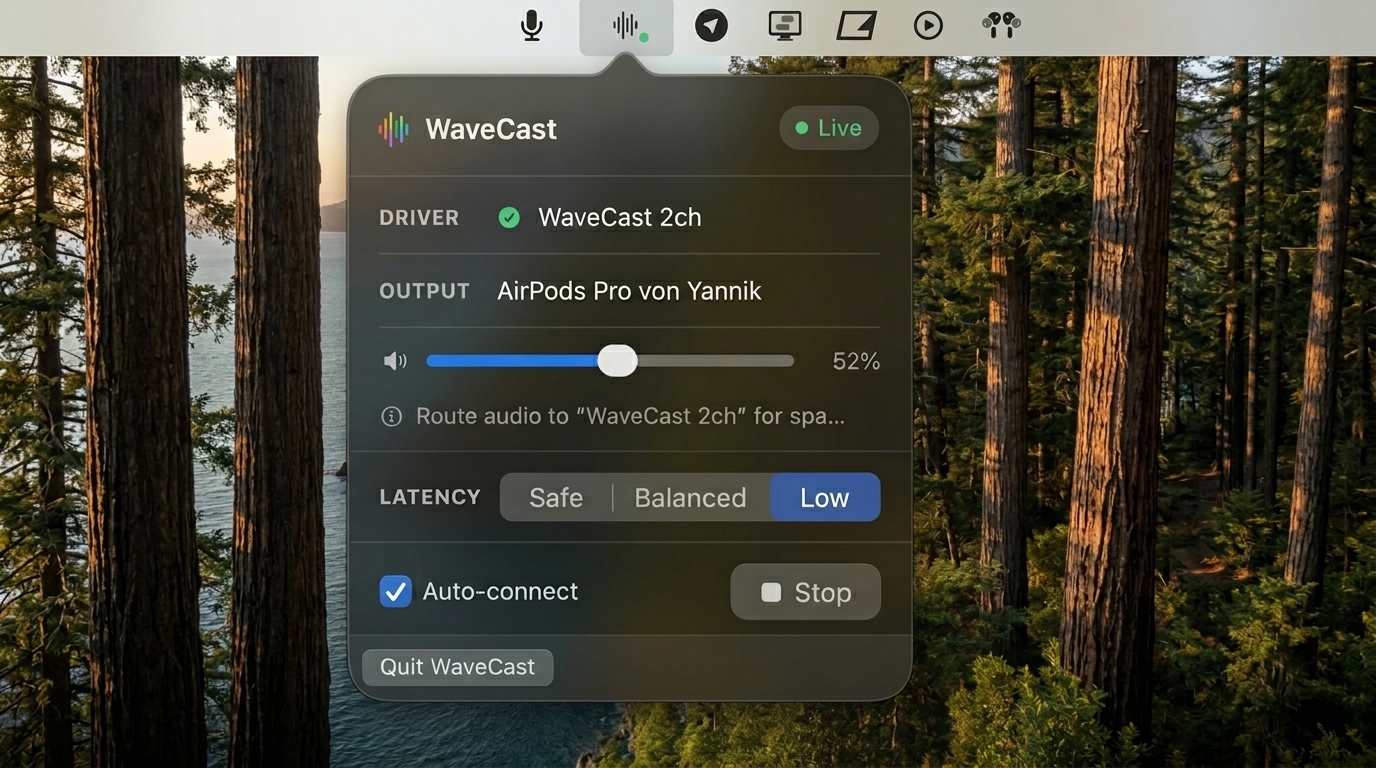
On macOS, Apple's spatial audio only works inside a few of Apple's own apps.* Spotify, YouTube, your browser and your DAW are left with flat stereo. WaveCast hands their audio to the same Apple engine, so everything you play gets spatial audio and head tracking.
* Apple's spatial audio does run in Music, TV and Logic. Everywhere else on macOS, it stays off.
You already enjoyed this. Probably on your iPhone.
You've already heard it
AirPods in, Apple Music playing: the sound sits around you, not in your head, and stays put when you turn. That's Apple's spatial audio, delivering the best sound in consumer technology.
Everywhere else, it's switched off
Same Mac, same AirPods, same song: in Spotify or Chrome it's gone. On macOS, spatial audio only works in a handful of Apple's own apps. There was no way around it.
WaveCast is the missing piece
WaveCast passes your audio through the exact same path Apple's apps use, so your Mac treats Spotify, YouTube, Netflix or your DAW like Apple Music. Same engine, same head tracking, same result, everywhere.
Two of us tested headphones for a living. This is what won.
“AirPods running Apple's spatial audio play in a league most headphones only reach north of $2,000.”
Before WaveCast, two of our developers worked at one of the top 3 global audio companies, measuring and testing headphones.
That's why WaveCast exists. The gap in what you hear was never the headphones you own. It's whether Apple's spatial engine is switched on.
The two developers behind WaveCast

See what's right for you.
Same engine underneath, three very different reasons to want it. Tell us which one you are when you join. It decides what we build first.
I just want everything on my Mac to sound better
Spotify, YouTube, browser video, games, anything at all, with the same spatial audio and head tracking Apple Music already gives you. One click, then forget it exists.
- Works with any app, no per-app setup
- Lives in the menu bar, out of the way
- Finds and connects your AirPods automatically
I mix in stereo
A monitoring reference that travels. Instead of one fixed headphone curve pressed against your ears, you get something close to studio monitors in a treated room, on a train, in a hotel, between sessions.
- Works behind any DAW, including ones with no spatial path
- Three latency modes, switchable live
- Metering and mono mixdown for quick mix checks
I mix in multichannel / Atmos
An Atmos monitoring room that fits in your pocket. WaveCast takes the multichannel bed straight from your DAW or Dolby renderer and plays each channel through Apple's engine, the same rendering most of your listeners will hear.
- 16-channel device: 7.1.4 and 9.1.6 beds
- Assignable routing matrix, saved per layout
- Per-slot metering with solo and mute
Works with AirPods 3rd and 4th generation, AirPods Pro 2nd and 3rd generation, and AirPods Max. Every model with Personalized Spatial Audio and head tracking.
Get in line for the key.
WaveCast is pre-launch. Join the waitlist and you'll hear first when it ships — and you'll help decide how it's packaged and priced. One email at launch, nothing else.